
How to Access and Use OKXBet in Nigeria
🎯 Learn how to register, log in, and navigate OKXBet in Nigeria safely. Get tips on security, customer support, and responsible betting for a smooth ₦game experience.
Edited By
Fiona Middleton
Installing OkxBet on an Android device in Nigeria is straightforward but requires some basic steps to avoid hitches. Since OkxBet’s app is not always available on the Google Play Store due to app store policies on betting apps, you’ll mostly download it from the official OkxBet website or trusted local platforms. Before downloading, make sure your Android phone allows installations from unknown sources; this setting is found under Security in your device’s settings.
Android version 5.0 (Lollipop) or higher
At least 100 MB of free storage space
Stable internet connection, preferably 4G or Wi-Fi
Once downloaded, installing the app is quick. After you run the installer APK file, follow the simple prompts. Avoid interrupting the process, as incomplete installations often cause crashes or login failures. After installation, it’s best to update the app if prompted, as newer versions fix bugs and enhance security.
Carefully choose your source for downloading OkxBet to avoid malware or fake apps posing as trusted platforms.
Navigating OkxBet on your phone is designed for ease. The app’s interface focuses on quick access to popular sports like football and basketball, plus virtual games and casino slots. Tabs at the bottom allow switching between betting markets, live events, and your account information.
Some practical tips to get started:
Use the search feature to find your favourite leagues or players instead of scrolling endlessly.
Enable push notifications selectively to receive key updates on matches or promotions without being overwhelmed.
Set up your account with a strong password and link your phone number for added security.
OkxBet supports deposits and withdrawals in naira via bank transfer, debit cards, or popular Nigerian payment systems like Paystack and Flutterwave. You can fund your account with as low as ₦1000, making it accessible even if you’re cautious with your betting budget. Withdrawal processing times typically range from a few minutes up to 24 hours depending on your bank.
Lastly, don’t ignore the app’s in-built help centre and customer support chat. Issues such as login trouble, bonus claims, or transaction disputes are common but can be resolved quickly if you engage with support promptly and provide your account details clearly.
Following these points will help you avoid common pitfalls and enjoy a seamless betting experience on OkxBet with your Android device.
Starting with OkxBet on your Android device sets the foundation for a smooth and enjoyable betting experience. This step ensures you have the app correctly installed, your account set up, and ready for action without delay. Especially for Nigerian users, who may contend with varying internet speeds and device capabilities, knowing how to properly get started helps avoid frustrations like crashes or failed logins.
Your Android phone must meet certain minimum requirements before downloading OkxBet. Typically, devices running Android 6.0 (Marshmallow) or above handle the app well. Also, ensure you have at least 100MB of free storage space for the app and updates. A stable internet connection—preferably Wi-Fi or reliable 4G—helps avoid interruptions during download.
Trying to install OkxBet on outdated or low-storage phones often leads to crashes or poor app performance. For example, using an old tokunbo phone with limited RAM can cause the app to freeze during live betting.
To install OkxBet, first go to the official OkxBet website via your Android browser; the app is not always available on Google Play due to regional restrictions. Download the APK file safely from there. Before installation, enable "Install from Unknown Sources" in your phone settings under security. Then, tap the downloaded APK file and follow on-screen prompts.
After installation, open the app and allow necessary permissions such as storage and location for the best experience. Having said that, always download from trusted sources to avoid fake versions that could jeopardise your data.
If the installation fails, common causes include insufficient storage, disabled Unknown Sources setting, or incompatible device. Clearing cache from your browser or previous installation attempts can help.
Sometimes, antivirus apps mistakenly block the APK; temporarily disable them during install but turn them back on immediately after. If problems persist, reboot your device or update the Android OS where possible.
Make sure all app permissions are granted after installation to avoid unexpected errors during use.
Once the OkxBet app is on your device, the next step is creating your account. The sign-up process is straightforward: enter your phone number or email, create a secure password, and provide basic personal details like your name and date of birth. A valid Nigerian phone number simplifies communication and transaction verification.
Setting up your account correctly the first time avoids inconveniences later, such as account locks due to mismatched information.
Verification is essential to comply with Nigerian regulations and safeguard your funds. OkxBet typically asks for documents like a National Identification Number (NIN), driver's licence, or a recent utility bill to confirm your identity and address. This step protects both you and the platform from fraud and illegal betting.
Uploading clear photos or scanned copies speeds up verification. Some users also verify via SMS codes sent to the registered phone number.
Issues users face during verification often include poor-quality document images, inconsistent personal information, or expired IDs. For instance, if your address on a utility bill doesn't exactly match what you entered, verification can be delayed or rejected.
To avoid setbacks, check that your documents are valid and details are consistent before uploading. Should you hit a snag, OkxBet's customer support can guide you through the required corrections without much fuss.
Starting well with OkxBet—right from download to account verification—means you can focus on betting without worrying about technical or regulatory hiccups. Always keep your app updated and handle your account details carefully for a hassle-free experience.
Understanding the key features of the OkxBet Android app is essential for anyone who wants to make the most of the platform. These features determine how easily you can place bets, navigate different games, and customise your betting experience. For Nigerian users especially, knowing what’s available right at your fingertips means smoother gameplay and quicker decisions — both vital in a busy context like Lagos or Abuja.
Dashboard Overview
The dashboard is your central hub when you open the OkxBet app. It presents live games, popular bets, and your account information in one place. A clean and responsive dashboard means you spend less time clicking around and more time focusing on bets. For example, if there’s a big football match in the Nigerian Premier League or an international tournament, you’ll see quick links right there.
Finding Sports and Games
Locating your favourite sports or games should be quick and straightforward. OkxBet uses categorical menus and search features that let you jump directly to football, basketball, or virtual esports. This saves you the hassle of scrolling endlessly through irrelevant options, which can be frustrating, especially when odds change fast and you want to act swiftly.
Personalising Your Experience
The app allows you to tailor what you see, whether it’s selecting preferred sports, following specific teams, or setting notifications for upcoming games. This personal touch ensures you’re not overwhelmed by unneeded information, helping you keep an eye on what matters most. For instance, a Lagos bettor might focus on local leagues, while someone in Abuja could track international fixtures.
Sports Betting Categories
OkxBet presents a wide range of sports categories with detailed markets for each. From football leagues across Africa to international basketball and tennis, you can explore various bet types — including outright wins, handicaps, and over/under markets. This diversity allows bettors in Nigeria to find value bets according to their knowledge and strategy.
In-Play Betting Features
Live or in-play betting lets you place bets during matches. OkxBet provides real-time updates, making it possible to respond to shifts in the game as they happen. For example, if a key player in a football match receives a red card, you can immediately adjust your wager to capitalise on the new dynamics.
Casino and Virtual Games on the App
Beyond sports, OkxBet includes a casino section with slots, poker, and virtual games that mirror real events. These options cater to those who enjoy variety or prefer casino-style bets over traditional sports wagering. The virtual games update frequently and provide quick rounds, ideal for users who want to switch between sports and casino action without leaving the app.
Knowing how to navigate and utilise these features not only improves your gambling experience but also enhances your chances of winning by enabling smarter, faster decisions.
Handling your finances effectively on the OkxBet Android app is key to a smooth betting experience. Whether you’re placing bets on football matches or trying your luck in virtual casino games, knowing how to fund your account and cash out winnings promptly can prevent many headaches.
OkxBet supports a range of payment options favoured by Nigerian users. This includes popular bank transfers using local banks such as GTBank, Access Bank, and Zenith Bank. Mobile money services like OPay and PalmPay also work well for instant funding. Additionally, users can deposit via debit cards linked to their Nigerian bank accounts. These options ensure accessibility and convenience without unnecessary delays or foreign currency complications.
Funding your OkxBet account is straightforward. After logging into the app, select the deposit option, choose your preferred payment channel, and enter the amount you want to add. For example, if using a bank transfer, you’ll be given the destination account details. Confirm the payment within your bank’s app or USSD interface, then wait a short while for the funds to reflect. OkxBet usually processes deposits instantly, allowing you to place bets right away.
Payment hiccups can happen, especially if network issues or incorrect details come into play. If your deposit does not go through, first check your internet connection and confirm that the payment details entered match exactly what OkxBet requires. Sometimes, bank cut-off times or daily limits might block transactions. Contacting your bank or OkxBet’s customer support swiftly helps resolve these issues without losing momentum.
When it’s time to cash out, OkxBet offers several withdrawal methods compatible with Nigerian players. Bank transfers remain the most popular, allowing seamless movement of funds into local accounts. For smaller sums, mobile wallet withdrawals via OPay or PalmPay provide quick access. Selecting your preferred option in the app’s withdrawal section is simple and convenient.
Withdrawal times may vary depending on the method chosen. Bank transfers usually take between 24 to 72 hours to process, while mobile wallet withdrawals can be near-instant. OkxBet imposes minimum and maximum withdrawal limits, typically starting around ₦1,000 up to ₦1 million, depending on your account status. Staying within these limits helps ensure smooth payouts.
Delays or rejections in withdrawals often stem from incomplete verification or incorrect payment details. Ensuring your account is fully verified with valid identification documents before requesting a withdrawal reduces such problems. Double-check your bank or wallet details entered in the app. If problems persist, OkxBet’s support team can assist in clarifying or correcting details to release your funds promptly.
Managing your finances on OkxBet carefully lets you focus on enjoying your bets and games without worry. Clear knowledge of deposit and withdrawal processes ensures you don’t get caught off guard by technical or procedural snags.
When using OkxBet on your Android device, protecting your account and personal data is non-negotiable. Since betting involves real money and sensitive information, a secure approach helps avoid fraud and preserves your peace of mind. Alongside security, responsible betting keeps your experience enjoyable and prevents financial stress or addiction.
Creating a strong password is the first line of defence to keep your OkxBet account safe. Avoid simple combinations like "123456" or your birthday; instead, use a mix of uppercase and lowercase letters, numbers, and symbols. For example, a password like "OkxBet#2024!NGR" is harder to guess. Enabling two-factor authentication (2FA) adds an extra layer by requiring a code sent to your phone or email when signing in. This way, even if someone cracks your password, they can’t access your account without the second verification step.
Scammers occasionally target bettors by sending fake messages or emails pretending to be OkxBet support, asking for your login details or deposits. A common ploy is an urgent request for funds or account verification through unofficial links. Always verify the source before sharing any personal information. OkxBet never asks for your password or PIN via email or messaging apps. If you spot anything suspicious, report it to the official OkxBet customer support immediately.
Making deposits or withdrawals over public Wi-Fi or unknown networks exposes your financial data to hackers who might intercept it. Always use trusted mobile networks or secured private Wi-Fi when transacting on the OkxBet app. For instance, avoid using free Wi-Fi at bus stops or markets when logging in or transferring money. This simple precaution reduces the risk of data theft and helps keep your funds safe.
A clear betting budget keeps your spending under control. Decide on a fixed amount you can afford to lose without hurting your finances, like ₦5,000 per week, and stick to it. OkxBet allows you to track your deposits and withdrawals through the app, so monitor your activity regularly. If you notice your bets creeping beyond your budget, pause and reassess before continuing.
Betting can quickly turn addictive if you chase losses or bet impulsively. Set limits on your betting frequency and never bank on recovering losses with bigger bets—this mindset often leads to deeper trouble. Taking breaks during ember months or festive seasons when temptation peaks helps protect your mental health. The key is to keep betting as a form of entertainment, not a financial strategy.
OkxBet includes features designed to support responsible betting. For example, you can set daily or weekly deposit limits directly in the app, or request temporary account hold if you feel you need a break. These tools empower you to control your betting habits proactively. Using them can prevent overspending and keep your gaming experience positive and healthy.
Regularly updating your security settings and practising responsible betting ensures OkxBet remains a safe and fun platform. Prioritising these measures prevents common pitfalls before they start.
When using the OkxBet app on Android devices, it is normal to face occasional hiccups like slow performance or login troubles. Knowing how to quickly resolve these problems can save you time and prevent frustration, especially when you have a bet or game live. Likewise, understanding how to reach out for help ensures your concerns get addressed efficiently.
The OkxBet app accumulates temporary files, known as cache, which can slow down app performance or cause glitches. Regularly clearing cache from your Android device helps the app run smoothly. To do this, go to your device settings, find the OkxBet app under 'Apps', and select "Clear Cache". Installing updates promptly is equally important, since updates often bring fixes to bugs affecting performance and add security improvements.
If you forget your password or face login issues, OkxBet provides a straightforward recovery process. Usually, you tap "Forgot Password?" on the login screen and provide your registered email or phone number. You will receive a verification code or link to reset your password. This step ensures only you can regain access, protecting your account from unauthorised login attempts.
Sometimes, minor fixes are not enough, especially if the app repeatedly crashes or freezes. In such cases, uninstalling and reinstalling OkxBet can clear deeper software problems or corrupted data. Remember to back up any important information or confirm that your account details are saved safely before reinstalling to avoid data loss.
OkxBet offers several ways to reach customer service in Nigeria. These usually include live chat within the app or website, email, and phone support. Knowing these channels upfront saves time when you need quick assistance, whether it’s about transactions, account verification, or technical glitches.
To speed up support, be ready with key details like your account username, the device you use, and a clear description of your issue. Being precise helps customer representatives understand your situation without repeated back-and-forth, reducing waiting time.
Response times vary depending on the channel used. Live chat tends to be faster, often responding within minutes, while email might take a few hours. Phone support usually provides immediate answers but can be busy during peak hours. Patience is advised during peak betting periods, such as major sports events or ember months when many users seek help.
Resolving app issues swiftly and having ready access to support channels ensures your betting experience on OkxBet is smooth and enjoyable, despite occasional challenges.
🎯 Learn how to register, log in, and navigate OKXBet in Nigeria safely. Get tips on security, customer support, and responsible betting for a smooth ₦game experience.
🔍 Learn how to navigate the OKXBET app for easy sports betting in Nigeria. Get step-by-step on download, payment options, betting tips, and support—all tailored for you! ⚽💰
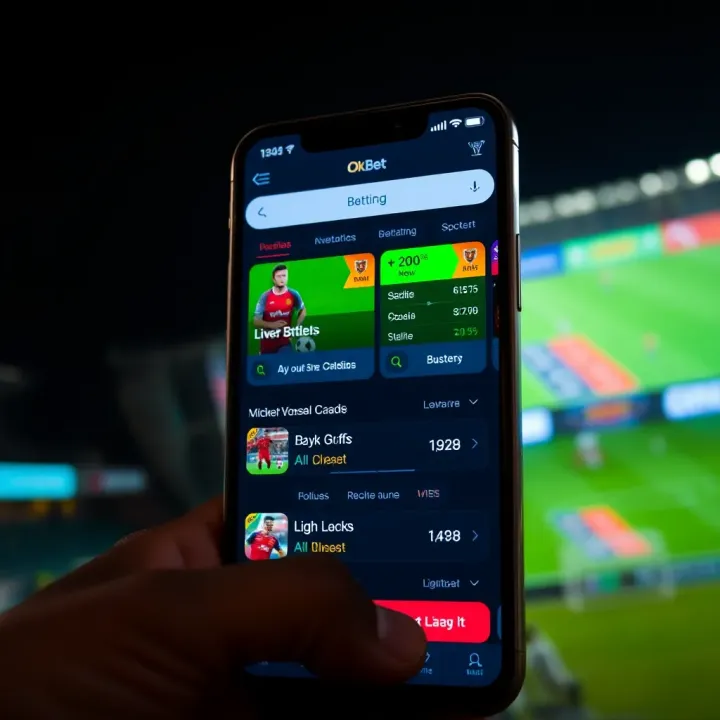
🎲 Learn how to download and use OkXBet on Android and iOS for smooth betting in Nigeria 🇳🇬. Get insider tips for safe play and quick account setup today!
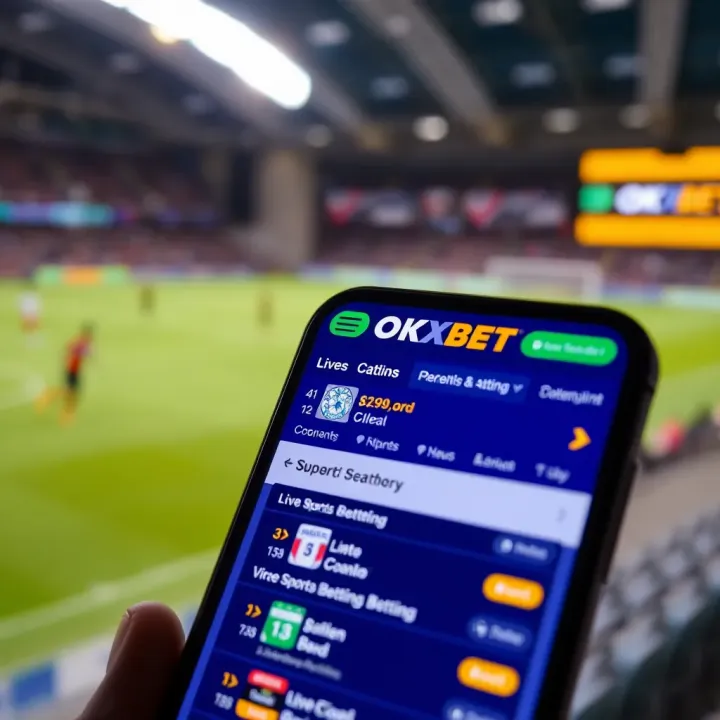
Discover how to download and use the OKXBET app in Nigeria 📱. Learn registration, deposits, withdrawals, tips to make the most of sports and casino betting safely in ₦.
Based on 9 reviews